Jenkins DevSecOps Deployment to On-Premises Kubernetes
This pipeline builds, scans, publishes, and deploys a containerized API to an on-premises Kubernetes cluster. Jenkins orchestrates the workflow, GitLab Container Registry stores the private image, and OWASP Dependency-Check, Trivy, and Docker Scout add security checks before deployment.
Overview
The goal is to automate the full lifecycle of the API: checking out source code, building a tagged image, scanning dependencies and the image, publishing it to a private registry, and rolling it out to Kubernetes with minimal manual intervention. Jenkins sits at the center of the process and keeps the same image tag moving from build to deployment.
GitLab Container Registry is used here instead of Docker Hub. AWS ECR is a valid alternative for teams already using AWS, but the deployment credentials, pull secret, and image path in this setup are all configured for a private GitLab registry.
Deployment flow
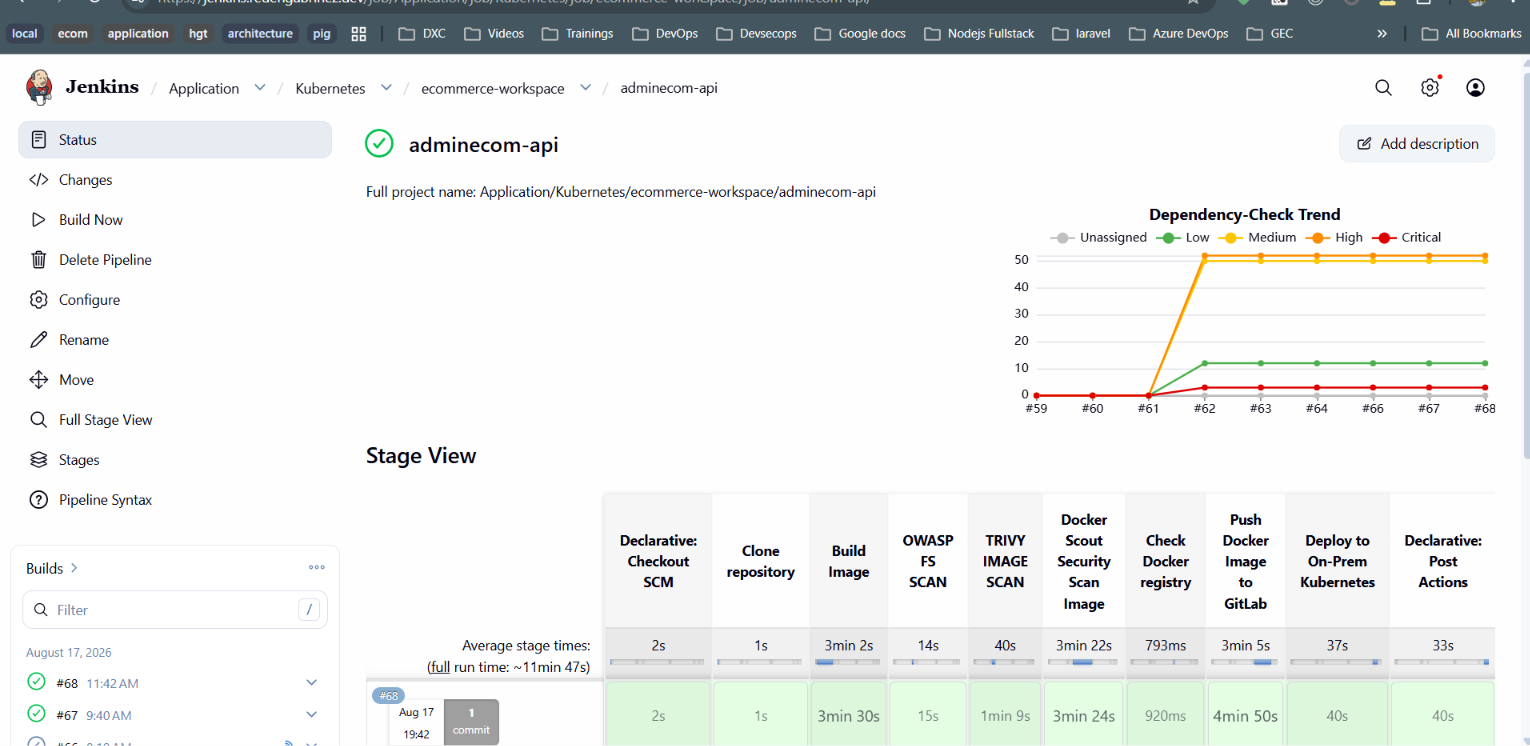
Declarative: Checkout SCM
Jenkins checks out the revision selected by the job configuration. The declarative checkout makes the source revision available to every later stage.
Clone repository
The pipeline explicitly runs checkout scm so the Docker build uses the intended
repository contents and branches.
Build the release image
BuildKit creates the API image with a tag such as
1.0.0-${BUILD_NUMBER}-RELEASE. The repository token is passed as a BuildKit secret so
it is not embedded in the image layers.
OWASP Dependency-Check
The pipeline extracts package.json and package-lock.json from the image,
scans the application dependencies, publishes XML and HTML reports, and attaches the results to the
Jenkins build email.
Trivy image scan
Trivy checks the built image for HIGH and CRITICAL vulnerabilities and saves the result as a build artifact.
Docker Scout security scan
Docker Scout records the image quickview, high and critical CVEs, and upgrade recommendations for review.
Check Docker registry
Jenkins verifies that Docker is available and the agent can access its daemon before publishing the image.
Push the image to GitLab
The job authenticates with GitLab Container Registry using Jenkins credentials, pushes the private image, and removes the local copy.
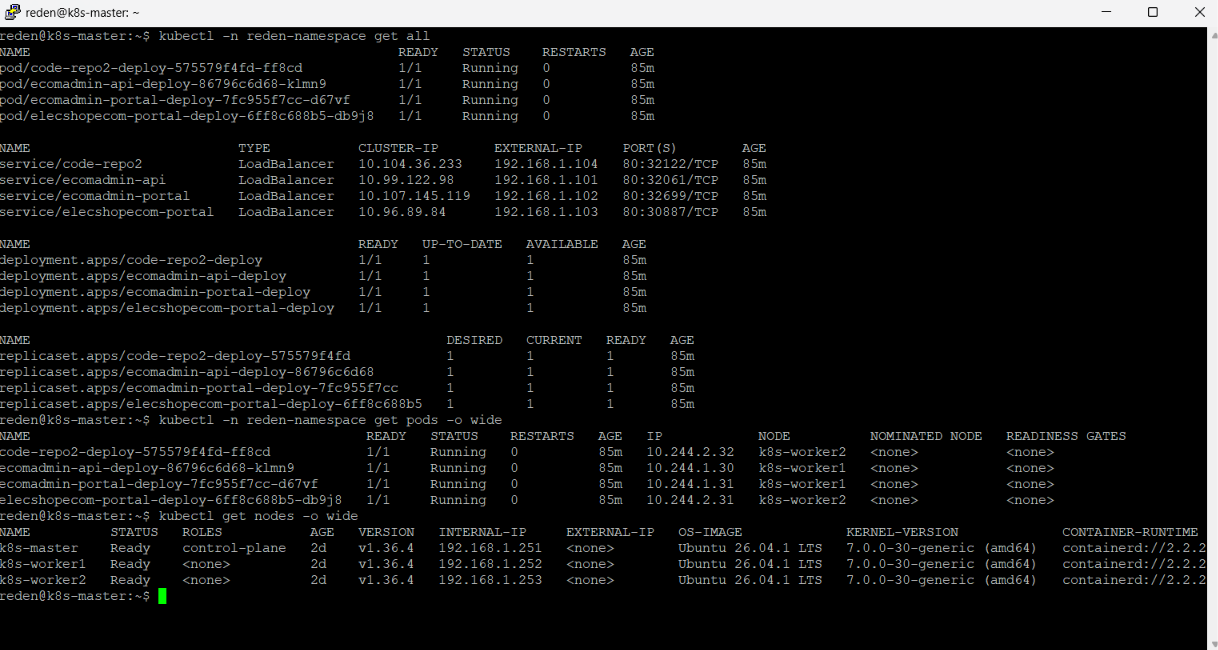
Deploy to on-premises Kubernetes
The deployment manifest receives the release tag, travels to the Kubernetes master over SSH, and is applied in the target namespace. A GitLab registry pull secret lets the cluster authenticate to the private repository.
Declarative: Post Actions
Jenkins emails the scan reports and build log, then removes temporary scan files, prunes Docker resources, and cleans the workspace.